PDF in, flipbook out
Turn your PDFs into flipbooks people actually read
Catalogues, menus, brochures and reports open as page-turning flipbooks in any browser. Share them by link, QR code or embed, keep them on brand, and see which pages hold attention.
Start free — no card Try it with your PDF
- Free plan, no trial clock
- Readers need no app or account
- Your PDF stays on your device while you try
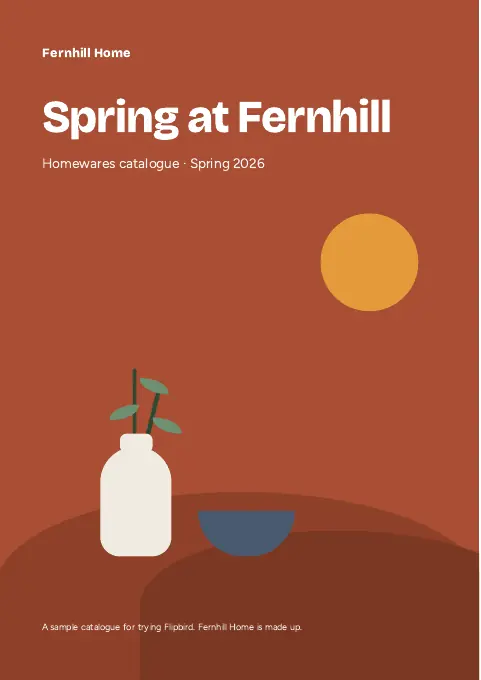

Bring your PDFs from wherever they live
- Your device
- Dropbox
- Google Drive
- OneDrive
- S3 and R2 buckets
- Word and Markdown
- HTML
- Images
Try it now
See your own PDF as a flipbook in seconds
No sign-up and no upload. The converter runs in your browser, so you can try it on the real thing, then see the same flipbook in other looks.
Drop in a PDF
Any PDF up to 50 MB and 300 pages, or our sample catalogue.
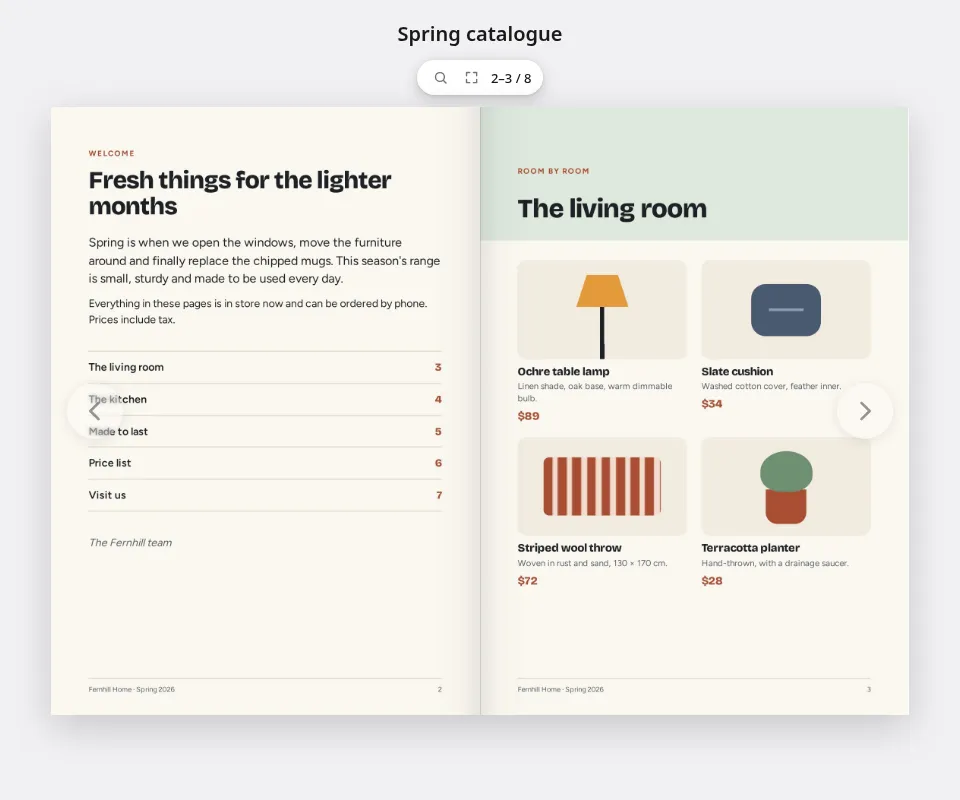
Turn the pages
Drag, tap or use the arrow keys. Open it full screen, download it, or change how it looks.
Publish it for real
Sign up free to share it by link, QR code or embed, and keep it on brand.
Your PDF stays on your device while you try.
One workspace
Publish, share, measure and fix, all in one place
Everything that happens to a PDF after it leaves the designer, from the first upload to the page everyone skips.
Publish
Public, unlisted, or just for the right people
Publish for anyone, unlisted for people with the link, behind a password, or for members of your workspace. Change it whenever you like: the address stays the same.
- Upload a new version and the same link, QR codes and embeds show it
- Choose how it looks in search results and link previews
- Take it down in one click

Share
Put it everywhere your readers already are
Send the link in an email, print a QR code on a poster or a menu, and paste the embed into your website. Point a printed code somewhere new at any time.
- QR codes in your own designs, one at a time or a batch from a spreadsheet
- A tracked code or link for each recipient
- Send phones and desktops to different places
Scan counts come with paid plans.

Measure
See what got read, page by page
Views and readers for any date range, the average time on each page, the links people followed, downloads, and how often it opened inside your website.
- Time on each page, not just a count of opens
- Link hits from inside the flipbook
- No IP addresses stored; Do Not Track and Global Privacy Control are respected
Reader analytics come with paid plans.

Brand
Looks like you, wherever it opens
Save looks with your colours, page background, controls and page turn, with separate settings for phones and desktops. One for everything, or one per client.
- Flip, slide, fade or no page-turn animation
- Choose the controls readers get
- Your workspace's own address, or a domain you own
Your own address comes with paid plans, and your own domain from Pro.

Edit
Fix the PDF before it goes out
Spotted a wrong price after the designer has gone home? Change the text in place, swap an image, add a link or a QR code, and redact what shouldn't be seen.
- Edit text in the document's own fonts
- Find and redact names, emails, phone and card numbers
- Save it as a new version; the link updates itself
Editing comes with paid plans.

A PDF editor built in
Fix the PDF without the design file
The editor runs in your browser on the document you already published. Save, and the flipbook, its link and its QR codes show the new version.
-
Edit text in place
Click a line and retype it. The face, size, colour and baseline stay as they were, and find and replace works across the whole document.
-
Redact for real
Find names, email addresses, phone and card numbers, or draw boxes. A redacted page is flattened to a picture, so the hidden text is gone, not covered.
-
Sign with a certificate
Apply a digital signature from your own certificate. The private key never leaves your browser.
From Pro
-
Make scans searchable
Recognise the text in a scanned PDF, so readers and search engines can find the words in it.
-
Letterheads and stamps
Keep your letterhead and images in a library, and stamp them onto any page.
-
Start from Word, Markdown, HTML or images
Not a PDF yet? Word documents, Markdown, HTML, spreadsheets and pictures become PDFs in your browser first, then publish like any other.
-
Encrypt and set permissions
Export with AES-256 and decide whether readers can print, copy or change it.
For developers
An API, an embed and an MCP server
Everything you do in the workspace, you can do from your own software, or ask an assistant to do for you.
- A REST API with scoped keys and a browsable reference
- Signed webhooks in the Standard Webhooks format
- An embed SDK with page-turn and link-click events
- An MCP server that acts only with the permissions a person approves
Embed
<div id="catalogue"></div>
<script src="https://view.flipbird.io/embed.js"></script>
<script>
  const book = FlipbirdEmbed.init({
    element: "#catalogue",
    publicId: "abcdefghjkmnpqrs",
  });
  book.on("pagechange", ({ pages }) => console.log(pages));
</script>
REST
# Publish a document as an unlisted flipbook
curl -X PUT \
  https://api.flipbird.io/api/v1/documents/$DOC/publication \
  -H "Authorization: Bearer $FLIPBIRD_KEY" \
  -H "Content-Type: application/json" \
  -d '{"mode": "unlisted"}'
MCP
# Connect Claude Code to your workspace
claude mcp add --transport http flipbird https://api.flipbird.io/mcp

# Then ask, in plain words:
> Publish the spring catalogue as unlisted
> and make a QR code that opens it.
Use cases
What people publish with it
Whatever you print or email as a PDF today, a flipbook makes it easier to open, to share and to measure.
-
Catalogues and price lists
A QR code on the shelf or the poster opens this season's range. Change a price, upload again, and the code keeps working.
-
Menus
A table QR code opens the menu in the browser. Point it at the winter menu without reprinting a thing.
-
Property listings
A brochure for every listing, opened from a link or the signboard, and taken down when it sells.
-
Magazines and newsletters
Embed each issue on your website, so readers turn the pages without leaving it.
-
Annual reports
The easiest thing on your site to read, with the PDF still there for those who print.
-
Agencies
Publish for clients with their colours and their domain, and show them what got read.
Security and privacy
Private until you publish, respectful after
Your documents and your readers are treated the way you'd want your own to be.
Encrypted at rest
Stored documents are encrypted with AES-256-GCM, with a key of their own for every file.
You decide who reads
Public, unlisted, password or members only, changeable at any time. Password guesses are rate limited.
Analytics without IP addresses
We don't store readers' IP addresses, and browsers that ask not to be tracked aren't.
Sign-in without passwords
One-time codes by email, or single sign-on with your identity provider on Business plans.
Pricing
Start free. Pay when it pays for itself.
Every plan publishes the same flipbooks. Moving up adds more of them, reader analytics, your own address and the tools a team needs.
No card · no trial clock
Free
Publish a flipbook, share it by link, QR code or embed, and keep it up for as long as you like.
- Published flipbooks
- 10
- Views a month
- 1,000
- Storage
- 102 MiB
- Seats
- 1
Move up when you need more
-
Pro plan
For a publishing team
Reader analytics · Workspace address
-
Enterprise plan
For a larger organisation
Agreed limits · Your own domain
Questions
Questions, answered
Anything else? The docs cover getting started, single sign-on and the API.
Do my readers need an account or an app?
No. A public, unlisted or password-protected flipbook opens in the web browser on any phone, tablet or computer. Only a members-only flipbook asks people to sign in.
Is the free plan really free?
Yes. There is no card to enter and no trial that runs out. The pricing page lists what the free plan includes; upgrade only when you need more flipbooks, reader analytics, your own address or a team.
What happens to my PDF when I try it on this page?
Nothing leaves your device. The converter runs in your browser, and your file is never uploaded or stored. When you sign up and upload a document, it is stored encrypted.
Can I change a flipbook after I've shared it?
Yes. Upload a new version and the same link, QR codes and embeds show it. A flipbook's address never changes, and you can switch who can see it at any time.
Will it work on phones?
Yes. A flipbook is a web page, so it opens in the browser on any phone, with nothing to install.
Can I put a flipbook on my own website?
Yes. Paste the embed code into any page, and readers turn the pages without leaving your site.
Can I use my own domain?
Yes, on the plans that include it: serve flipbooks from a hostname you own, such as catalogue.yourshop.com, verified with a DNS record. The pricing page shows which plans include it.
What if a flipbook gets more views than my plan includes?
It stays up. Views past the monthly allowance are paid for from the workspace's credits, and the workspace's owners are emailed as the credit balance runs low.
Can I cancel?
Yes. Paid plans are billed monthly or yearly through Stripe, and you can change or cancel from your workspace's Billing page.
Your next PDF deserves readers
Publish your first flipbook free today. No card and no trial clock: upgrade only when you need more.