Features
Everything you need to publish a PDF people read
One upload gives you a flipbook to share, brand, protect and measure, and the tools to fix the PDF before it goes out.
For your readers
Reads like a publication, not a download
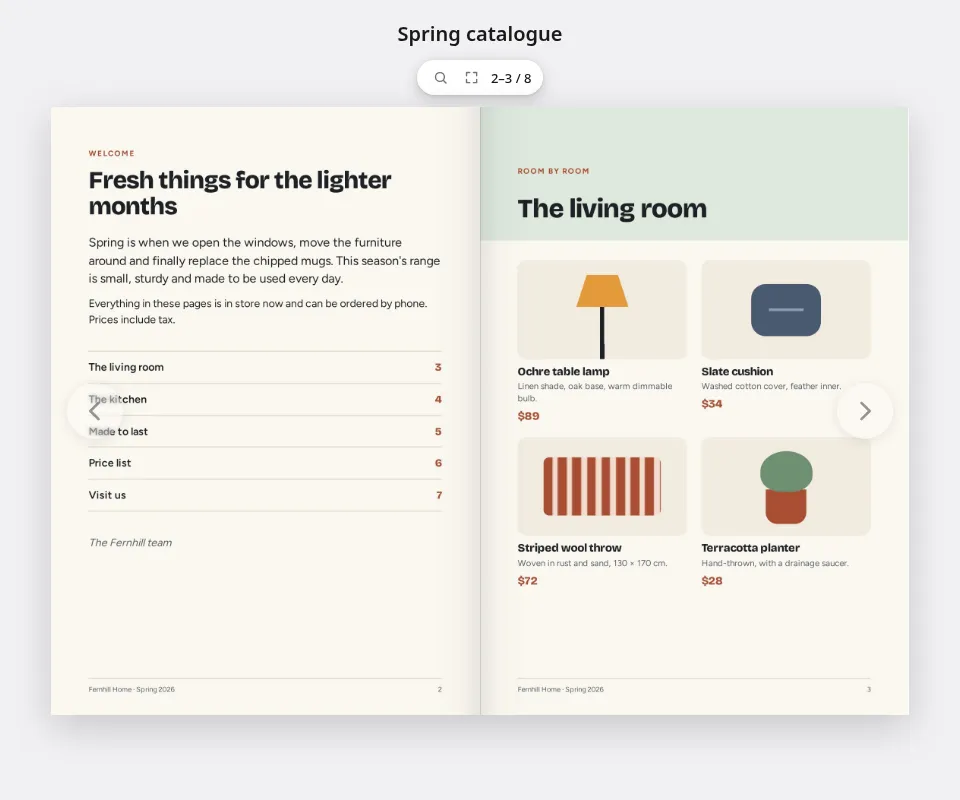
Pages turn like paper, sized to the screen in front of them. Readers drag or tap to turn, use the arrow keys, look closer with the magnifier and go full screen. The words on every page are in the published flipbook too, so search engines and screen readers can read them.
- Links in your PDF stay clickable
- Nothing to install and no account to make
- You choose whether readers can search, download or print
Share
Put it everywhere your readers already are
Send the link in an email or a message, print a QR code on a poster or a menu, and paste the embed code into your website. Printed codes aren't stuck: point a QR code or short link somewhere new at any time, or send phones and desktops to different places.
- QR codes in your own designs, one at a time or a batch from a spreadsheet
- A code for each recipient, each counting its own scans
- Embed a flipbook on any page with one snippet
Scan counts come with paid plans.

Measure
See what got read, page by page
Views and readers for any date range, the average time people spend on each page, which links they followed, and how often it was downloaded or opened inside your website. Find the page that does the selling, and the one everyone skips.
- Time on each page, not just a count of opens
- Link hits from inside the flipbook
- No IP addresses stored; Do Not Track and Global Privacy Control are respected
Reader analytics come with paid plans.

Control
Public, or just for the right people
Publish for anyone, unlisted for people with the link, behind a password, or for members of your workspace only. Change it whenever you like: the address stays the same.
- Upload a new version and the same link, QR codes and embeds show it
- Choose how it looks in search results and link previews, or keep it out of search
- Take it down in one click

Your brand
Looks like you, wherever it opens
Save looks with your colours, page background, controls and page turn, with separate settings for phones and desktops. Use one for everything, or one for each client or campaign.
- Flip, slide, fade or no page-turn animation
- Pick the controls readers get: thumbnails, zoom, search, download, print
- Your workspace's own address on flipbird.io, or a domain you own
Your workspace's own address comes with paid plans, and a domain you own from Pro.

Fix it first
Fix the PDF before it goes out
Spotted a wrong price after the designer has gone home? Change the text in place, swap an image, add a link or a QR code, and redact what shouldn't be seen, all in the browser, without the original design file.
- Edit text in the document's own fonts
- Find & redact names, email addresses, phone and card numbers; a redacted page is flattened to a picture, so the hidden text is gone, not just covered
- Sign the final copy with a digital certificate, or add a signature image
Editing and signing come with paid plans.

Compared
A flipbook, or a plain PDF link?
Both start from the same file. Here is what changes when you publish it as a flipbook.
| What you get | A PDF link | A Flipbird flipbook |
|---|---|---|
| Opens in the browser without downloading a file first | Depends on the device | Yes |
| Pages you turn, sized to the screen | No | Yes |
| See views, readers and time on each page | No | Yes |
| Change where a printed QR code points | No | Yes |
| Update the document and keep the same link | Only if you replace the file yourself | Yes |
| Password or members-only access you can change later | A password travels with the file | Yes |
| Embed it in your website with page turns | No | Yes |
| Readers can still download and print the PDF | Yes | When you allow it |
Analytics, scan counts and some sharing options come with paid plans. A PDF is still the right thing when people need to fill it in or print it, and a flipbook can offer it as a download.
Everything else
The rest of the toolkit
What a workspace can do, grouped the way you'll use it. Some of it comes with paid plans; the pricing page lists which.
Publishing
- Upload PDF, Word, Markdown, HTML, CSV and image files
- Folders and tags to keep a library in order
- Every version kept, with the current one marked
- Deep zoom for detailed pages, when you turn it on
- A trash that keeps deleted documents for a while
Sharing
- Short links and QR codes you can re-point
- Send phones, tablets and desktops, or visitors from different countries or languages, to different places
- QR code designs for your brand
- Codes in bulk from a CSV file
- Embed code for any website
Insight
- Views and readers by date range
- Average time on each page
- Link hits, downloads and embed loads
- QR code scans
- Tracking switched off per workspace when you want
Editing
- Edit text and images in place
- Add, delete, rotate and reorder pages
- Find & redact, with patterns for emails, phone and card numbers
- Text recognition (OCR, in English) for scanned pages
- Certificate signing and signature images
Teams
- Roles: Owner, Admin, Standard and Accounts
- Groups and restricted folders
- Sign-in by email code, or SAML single sign-on
- An audit log of what changed
- Your own fonts for the editor
Developers
- A REST API with scoped keys
- Webhooks for processed documents, finished exports, link clicks and billing
- An MCP endpoint, so an AI assistant can work with your documents
- An embed script with page and link events
See it on your own PDF
Drop a PDF into the converter on the home page and it becomes a flipbook in seconds, in your browser. Then publish it for real, free.